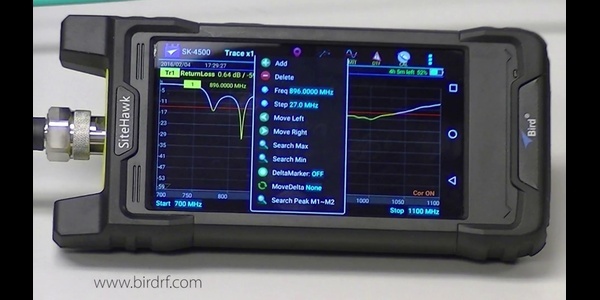
How to Measure a Transmitter and VSWR with a Power Meter
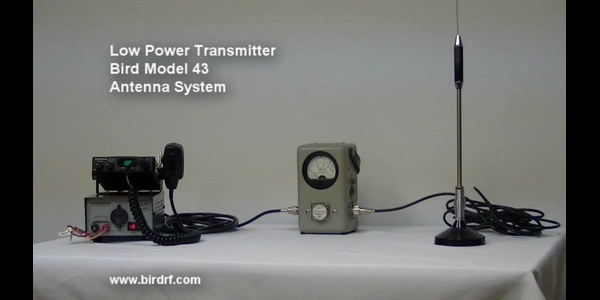
Accurate RF measurements are essential to keep your systems running at peak performance. In this video, Bird demonstrates how to use an RF wattmeter to measure transmitter output power, read forward and reflected power, and determine Voltage Standing Wave Ratio (VSWR).
What You’ll Learn
-
How to properly install a Bird wattmeter in the RF transmission path
-
How to select and insert the correct measurement element
-
How to measure forward and reflected RF power
-
How to determine VSWR from your measurements
-
Common mistakes to avoid and troubleshooting tips
Why Measuring Transmitter Power and VSWR Matters
Measuring transmitter output power and VSWR helps you:
-
Verify transmitter performance
-
Detect antenna and feedline mismatches
-
Reduce reflected power that can affect system efficiency
-
Troubleshoot RF transmission problems faster
-
Extend the life of RF equipment through routine testing
Who Should Watch
-
RF technicians
-
Communications and broadcast engineers
-
Maintenance personnel responsible for RF systems
-
Trainers teaching RF measurement fundamentals
- Anyone using a Bird Model 43 Wattmeter or similar RF power meter
Understanding VSWR Before You Measure
Before measuring a transmitter, it's helpful to understand what VSWR tells you. While transmitter output power indicates how much energy is being sent into the transmission line, VSWR reveals how efficiently that power is reaching the antenna. Measuring both forward and reflected power provides a clearer picture of overall RF system performance.
What is a standing wave ratio meter?
A standing wave ratio (SWR) meter measures the relationship between forward RF power and reflected RF power in a transmission line. It helps determine how efficiently power is transferred from the transmitter to the antenna by identifying impedance mismatches. A low SWR indicates efficient power transfer, while a high SWR means more energy is being reflected back toward the transmitter. For example, an SWR reading of 1.3:1 means only about 2% of transmitted power is reflected.
How do you measure VSWR with a power meter?
VSWR is measured by comparing forward power and reflected power using a directional RF power meter or wattmeter. The meter measures both values and calculates the standing wave ratio, allowing technicians to identify antenna mismatches, damaged feedlines, faulty connectors, or other transmission line problems. For example, a system transmitting 100 watts forward with 4 watts reflected has a VSWR of approximately 1.5:1.
What is a good VSWR value?
A good VSWR is generally 1.5:1 or lower, meaning most RF power is reaching the antenna rather than reflecting back toward the transmitter. A perfect match is 1:1, where no measurable reflected power exists. As VSWR increases, transmission efficiency decreases and reflected power increases, which can reduce system performance and potentially stress RF equipment. For example, a 2:1 VSWR reflects about 11% of transmitted power.
Trusted RF Measurement for More Than 80 Years
For more than 80 years, Bird has helped RF professionals accurately measure, troubleshoot, and maintain critical communications systems. The Bird Model 43 Wattmeter featured in this video has become an industry standard because of its rugged design, dependable accuracy, and field-proven reliability. This tutorial is part of Bird's commitment to helping technicians and engineers measure with confidence.
Explore Bird RF Wattmeters
Whether you're maintaining a land mobile radio system, broadcast transmitter, military communications network, or industrial RF application, Bird offers RF wattmeters designed for accurate power and VSWR measurements.
Bird Applications Team
Applied RF know-how from Bird engineers—field-tested techniques, measurement methods, and troubleshooting.