
When an RF system goes down, every minute counts. A failed repeater leaves police officers without reliable communications. A faulty altimeter grounds an aircraft. An out-of-spec plasma chamber in a semiconductor fab can cause costly production delays and defective wafers. Restoring service quickly requires a systematic approach and the right instrument. The Bird SiteHawk® Cable and Antenna Analyzer delivers both in a single, portable package.
Common RF System Problems
Field technicians encounter RF system failures across a wide range of applications. Some common problems we hear about at Bird include:
- Inadequate signal reception from a repeater site on a public safety radio network
- Aircraft RF systems giving suspicious data or failing tests
- Deposition or etching faults on semiconductor wafers from plasma chambers
- Unknown cable characteristics during a new installation or repair that affect overall system performance
In each case, the root cause often lies somewhere in the RF path between the transmitter and the antenna, or between the generator and the load. Finding that root cause fast is the challenge. Let’s go through the basic troubleshooting steps we use here at Bird once we’re reasonably confident the issue is in that RF path.
A Systematic Measurement Approach
Step 1: Check System Match
Start every radio frequency troubleshooting session by measuring the impedance match of the feedline cable and antenna system. Match quality determines how much power actually reaches the antenna and how much reflects back toward the transmitter. Impedance match should be measured using either return loss or VSWR across the full operating frequency range of the system.
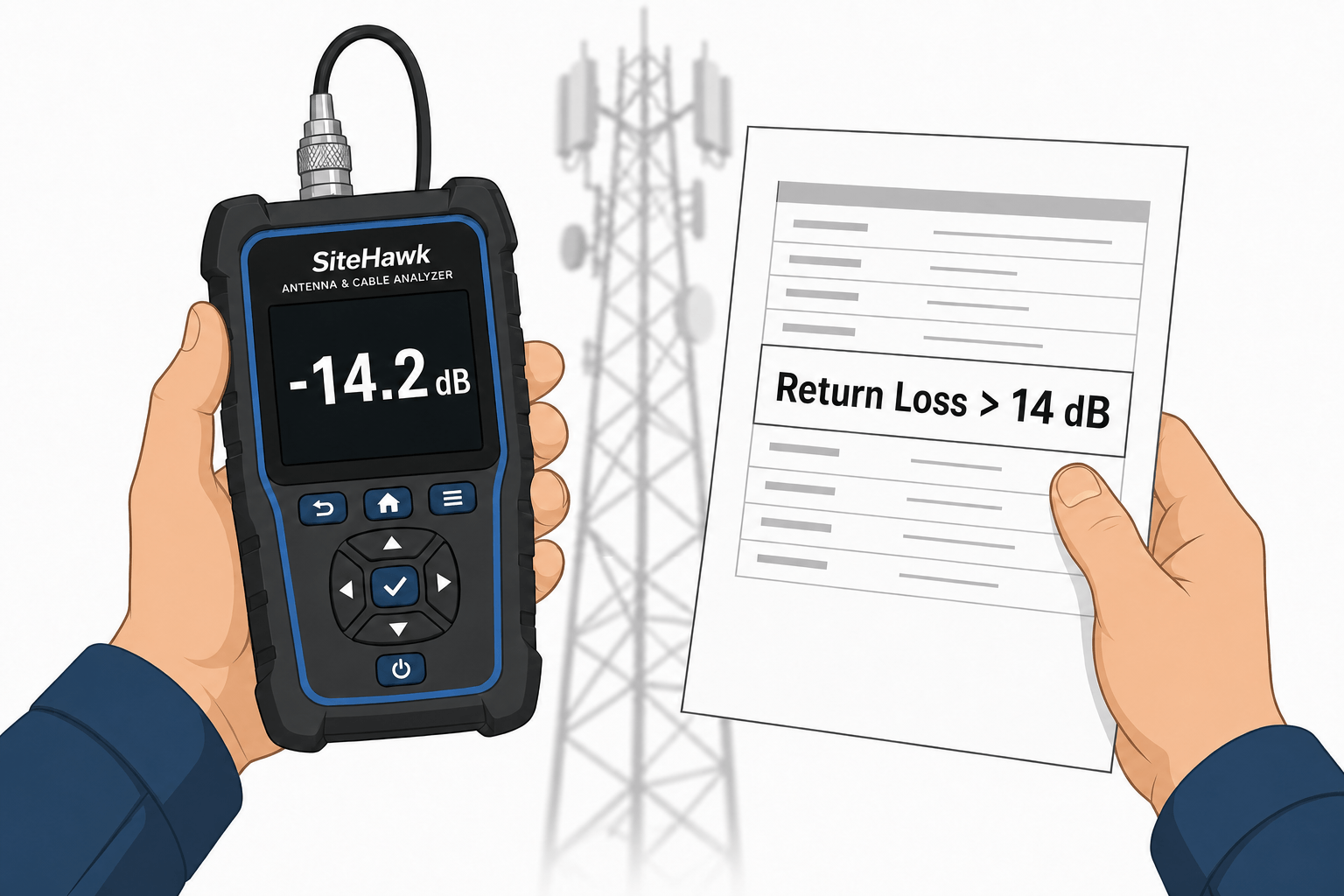
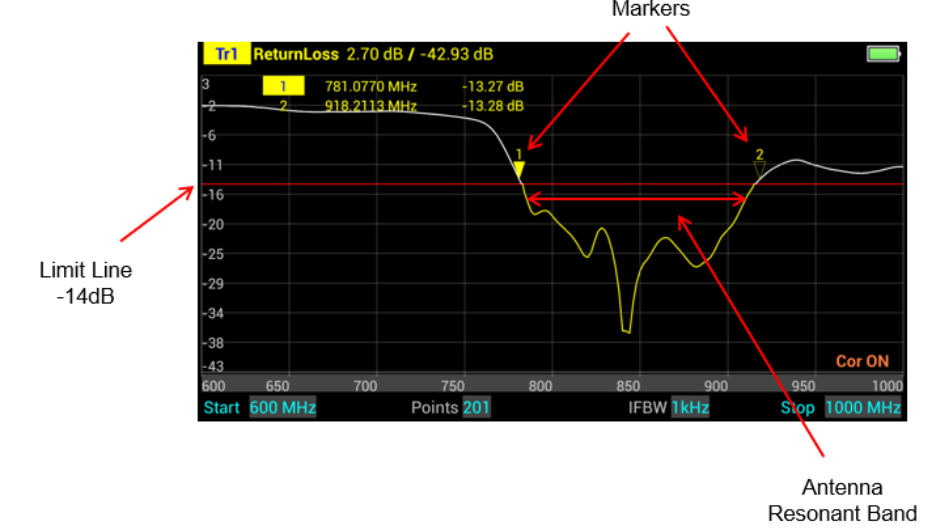
Return loss uses a logarithmic dB scale, making small differences in match quality easier to see than with the linear VSWR scale. When return loss is displayed as a negative value on the instrument, a more negative reading indicates a better match. Bird recommends using -14 dB as the threshold between acceptable antenna performance and a potential problem. If your organization has its own specification limit, use that instead.
If system match measurements are within specification across all operating frequencies, the cable and antenna feed may not be the source of the problem. The problem could be the transceiver or its connection to the feedline you just tested. If so, skip to Step 4. If you found a mismatch in your frequency range of interest, proceed to Step 2.
Step 2: Perform a Distance-to-Fault Measurement
If return loss or VSWR is out of specification, follow up with a distance-to-fault (DTF) measurement. You may skip this step for very short, easy-to-access runs, but cables and connectors are often difficult to access for diagnosis. A DTF measurement identifies the location of impedance discontinuities along the transmission line, pointing directly to the source of the mismatch. Common faults include:
- Kinks or breaks in the cable caused by mechanical stress or damage during installation
- Connectors degraded by corrosion, moisture ingress, or physical damage
- A fault at the far end of the cable run, which may indicate that the antenna itself is the problem
When a DTF measurement shows a fault at the antenna end, suspect a damaged antenna or a drift in antenna characteristics. An antenna that has shifted outside its specified frequency band will show poor return loss across the operating range, even if the cable is in good condition.
After a DTF measurement, you will usually know the specific point of failure and can troubleshoot more precisely. If the DTF measurement is ambiguous, proceed to Step 3.
Step 3: Measure Cable Insertion Loss
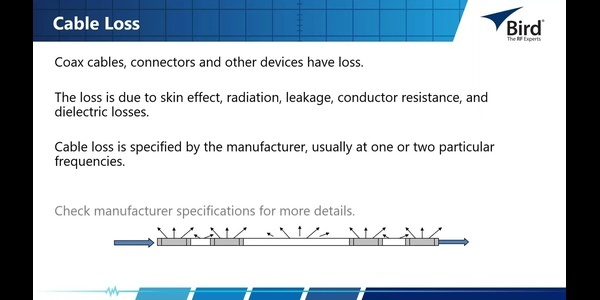
High insertion loss in the feedline cable can make return loss or VSWR measurements appear better than they actually are while reducing the power delivered to the antenna or load. Measure insertion loss to determine whether the cable loss per unit length remains within specification at the system’s operating frequencies.
During a new installation or when replacing a cable, measure cable insertion loss as a function of frequency. This establishes a performance baseline for the cable. Save the data for comparison during future maintenance and troubleshooting. A cable that shows increasing insertion loss over time may be developing degradation that can eventually lead to system failure.
By this point, you will usually have identified and fixed the issue in the RF path. If not, proceed to Step 4.
Step 4: Measure Transceiver Power Output
If both the cable-antenna or load match and cable insertion loss are within specification, look at the transceiver’s power output. Connect a wideband in-line power sensor and measure forward and reflected power at the transceiver output. An in-line sensor allows you to assess the RF output of the transmitter or transceiver and the RF path at the same time. Lower-than-expected forward power points to a transceiver problem that requires separate investigation.
How SiteHawk Speeds Up RF Troubleshooting
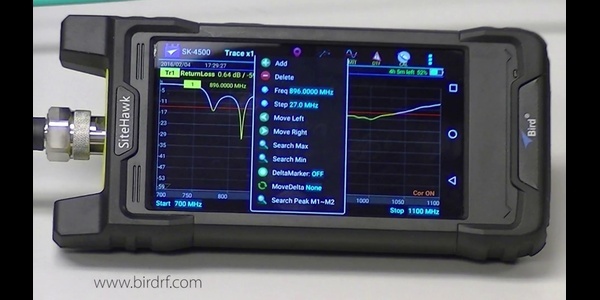
The SiteHawk Cable and Antenna Analyzer is purpose-built for antenna and transmission-line testing. It measures impedance match, locates faults and quantifies cable loss. When connected to a compatible wideband power sensor, it also enables forward and reflected power measurements. Its Android-based touchscreen interface is immediately familiar to anyone who uses a smartphone, reducing the learning curve for technicians at any skill level.
Three real-world examples collected from our applications engineers show how SiteHawk saves time and costs when troubleshooting problems:
- Public safety network repeater failure: A return loss sweep quickly confirmed poor match in the antenna system. A DTF measurement indicated a fault at the antenna, which a return loss sweep showed had drifted out of its operating frequency specification. Replacing the antenna restored communications from the repeater site.
- Aircraft altimeter fault: Repeated transceiver swaps failed to fix the problem. Technicians obtained a SiteHawk and used it to measure the impedance match of a working altimeter system in another airplane. A return loss sweep of the defective altimeter transmission system revealed a poor match compared with the known-good system. A DTF measurement then located a break in the connection between the antenna feedline and antenna connector inside the aircraft. Repairing that connection resolved the fault without requiring technicians to inspect the entire cable run manually in the aircraft’s tight spaces.
- Semiconductor fab power loss: DTF measurements on the long cable run between the RF generator and plasma chamber quickly isolated a damaged connector between two cables. Replacing the connector restored adequate power to the plasma chamber and returned deposition uniformity to specification. Using SiteHawk avoided the costly replacement of feedline cables based on inadequate information.
SiteHawk also supports baseline data collection during installation. Storing return loss, DTF and cable-loss traces at commissioning or during component replacement creates a reference set that speeds future troubleshooting. Comparing current measurements against stored baselines immediately shows what has changed and where. When deploying standard equipment, the baseline measurement can confirm that equipment is within specification before installation, helping eliminate callbacks.
Efficient Workflow with SiteHawk
Follow this sequence to get accurate results quickly in the field:
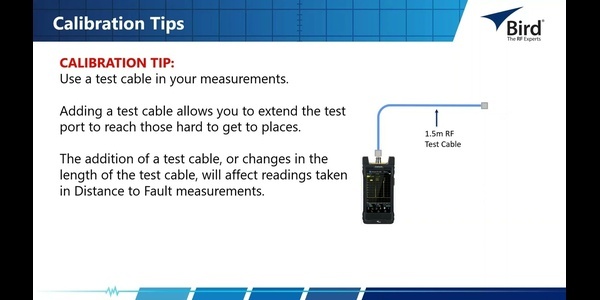
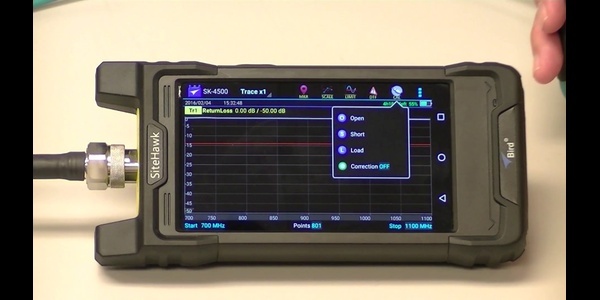
- Calibrate first. Perform an open-short-load (OSL) calibration using the supplied calibration combo. This OSL calibration compensates for conditions at the test site and can calibrate out the effects of test cables or adapters, helping ensure accurate measurements. It does not replace factory calibration, which ensures the RF generator and measurement system remain within specification.
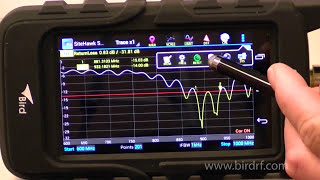
- Set up the match measurement. Select return loss or VSWR, enter the system operating frequency range extended by 10% at each end, choose the measurement point count and set the scale. The extra frequency range helps reveal whether the match has shifted or whether a mismatch exists just outside the target range. Apply a -14 dB limit line, or your organization’s standard. Use markers to read exact values at specific frequencies and confirm pass-or-fail status against the limit line. Figure 1 shows a SiteHawk display of an antenna return loss measurement.
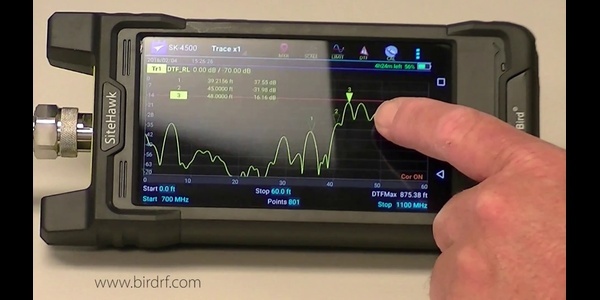
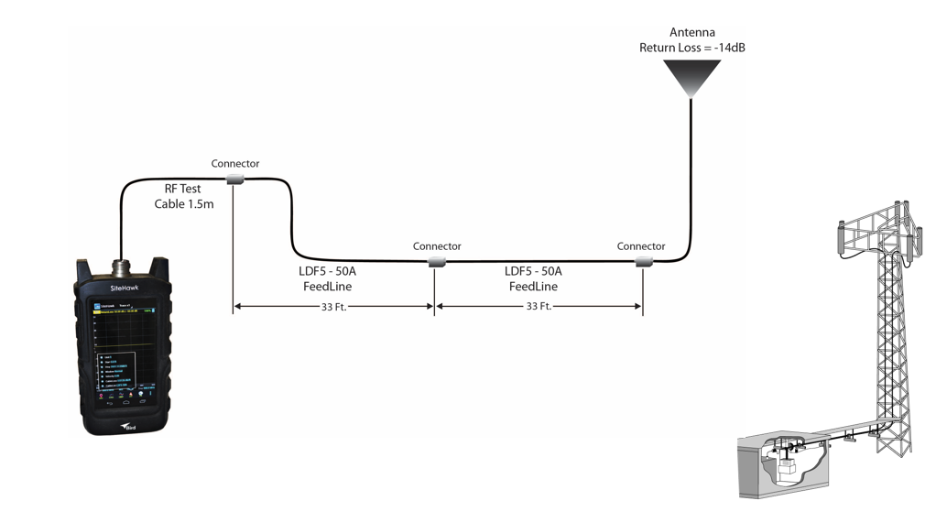
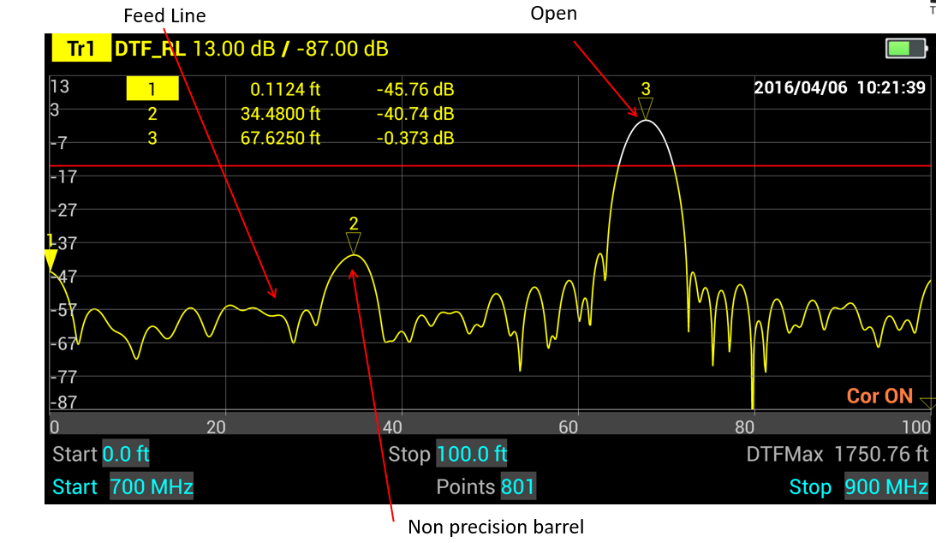
- Switch to DTF if the match is out of specification. Follow the same frequency setup steps after selecting the DTF function. Identify peaks above the limit line and read distance directly from the marker display. Figure 2 shows SiteHawk making a DTF measurement on an example feedline and antenna system, and Figure 3 shows the resulting trace. The plot makes it easy to identify the problem’s location.
- Measure insertion loss if the impedance-match measurement does not indicate an out-of-specification mismatch, or to verify cable characteristics during installation.
- Connect a wideband power sensor via USB to measure forward and reflected power if the cable-antenna system passes all tests but still underperforms. Low forward power can indicate a transmitter problem.
Conclusion: SiteHawk Facilitates RF System Troubleshooting
A systematic approach of measuring match, DTF, insertion loss and power eliminates guesswork and minimizes downtime, regardless of the RF system. SiteHawk integrates match, DTF and cable-loss measurements into a lightweight, field-rugged instrument that weighs less than two pounds (0.9 kg), operates for 10 hours on a single battery charge and works in temperatures from 14°F to 131°F (-10°C to +55°C). A compatible wideband power sensor adds forward and reflected power measurement. Having the right tools means fewer site visits, faster repairs and more reliable RF systems.
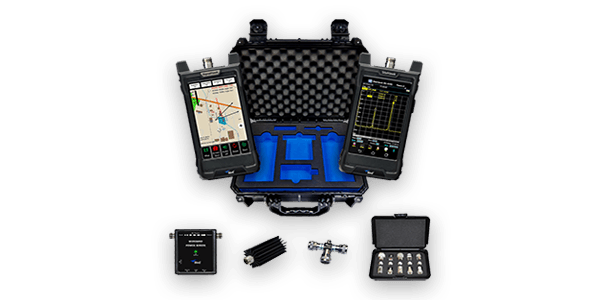
Learn more about SiteHawk and avoid wasted field visits and lost time by including everything needed for troubleshooting in an RF Analyzer Test Kit, including SiteHawk and essential accessories housed in a rugged carrying case for on-location troubleshooting.
To see SiteHawk in action, watch these short videos:
Frequently Asked Questions About RF Troubleshooting
What is return loss and why does it matter for RF troubleshooting?
Return loss measures how much RF power is reflected back toward the source because of an impedance mismatch. It is expressed in decibels, with better return loss indicating less reflected power and a better impedance match. Technicians use return loss to help identify problems with antennas, cables, connectors and other parts of an RF system that can reduce power transfer and degrade performance. For example, a return loss magnitude of 20 dB means about 1% of the incident power is reflected, while 10 dB means about 10% is reflected.
What is the difference between insertion loss and return loss?
Insertion loss measures how much signal power is lost as it passes through an RF component or transmission path, while return loss measures how much power is reflected back toward the source because of an impedance mismatch. Together, they help evaluate signal loss and impedance matching in cables, connectors, filters, antennas and other RF components. For example, a cable assembly with 1 dB of insertion loss and a return loss magnitude of 20 dB at 1 GHz has relatively low signal loss and good impedance matching.
How does distance-to-fault (DTF) testing help find a cable problem?
Distance-to-fault testing uses RF measurements to estimate the location of impedance changes or faults along a cable or transmission line. It helps technicians locate issues such as damaged cable, loose or improperly installed connectors, water intrusion and faulty terminations without inspecting the entire cable run. For example, a DTF measurement may show a significant reflection 37 meters from the test instrument, giving the technician a specific location to inspect.
Contact an RF Expert at Bird
Connect with a solutions expert for knowledgeable guidance.