bottom-tech-pattern
Accurate Transmitter Monitoring — Without False Alarms

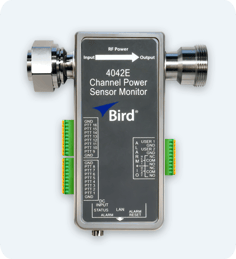
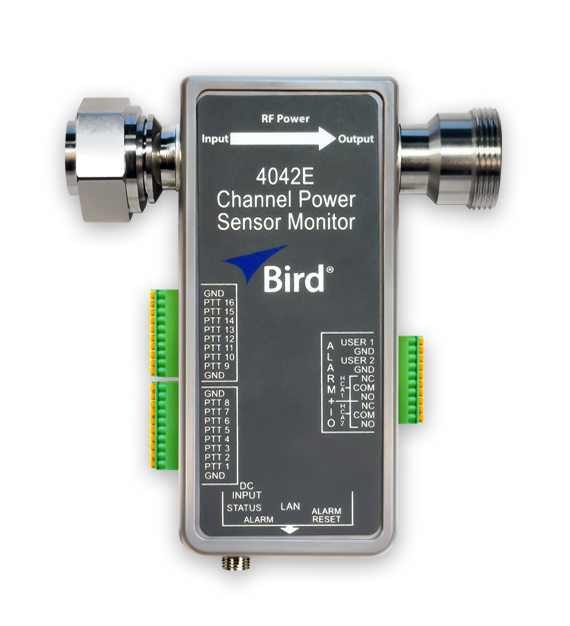
4042E-PTT Ethernet RF Sensor

Monitor transmit output and antenna mismatch remotely with alarms triggered only during key-ups, not idle periods.

The 4042E-PTT provides remote visibility into forward power, reflected power, and VSWR over standard Ethernet so you can confirm transmit output and spot mismatch changes between site visits. Push-To-Talk (PTT) inputs prevent spurious alarms when the transmitter is not transmitting, so alarms occur during key-ups.

PTT-Driven Alarming (16 PTT inputs)
Alarm detection during key-ups for up to 16 transmitters.

Expanded Site I/O
2 user inputs + 2 hard-contact alarm outputs for site contacts and local alarms.
4042E-ptt_wht_626x570

Know When Transmit Performance Starts Changing

Where the 4042E-PTT Fits in a Base Station

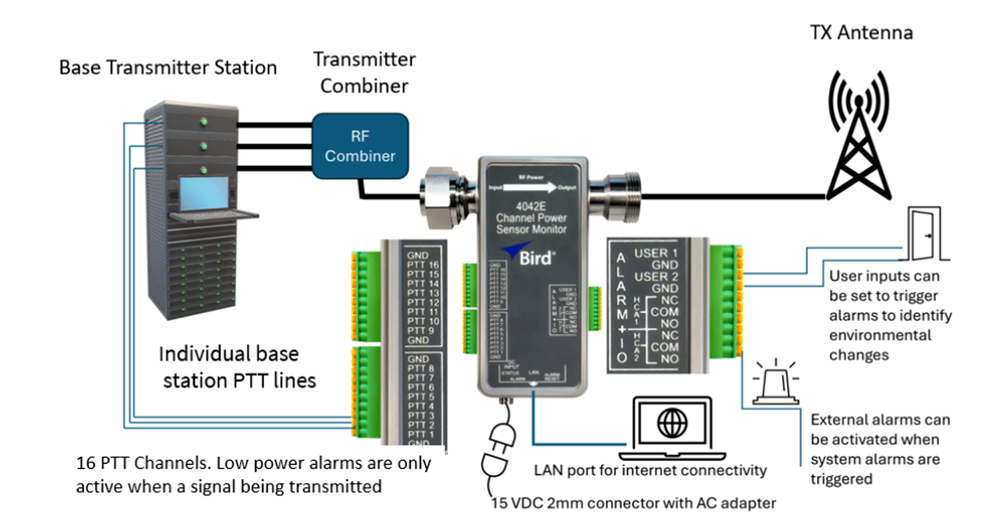
Install the 4042E-PTT after the combiner to monitor transmit output and RF path health. With 16 PTT inputs, the sensor disables alarm detection when the transmitter is not transmitting, so alarms occur during key-ups—reducing nuisance alarms and speeding troubleshooting.

4042E-PTT_diagram_highres_4x

Install It at the Site

Connect It at the Site

Installation points and connections.

Install after the combiner

Place the 4042E-PTT inline at the combiner output, ahead of the TX antenna.

Connect ethernet (LAN)

Plug into the network for remote access, monitoring, and NMS integration.

Add user inputs (optional)

Use the two inputs for site contacts such as door switches, generators, or temperature sensors.

Wire alarm outputs (optional)

Use the two hard-contact outputs to drive a beacon, buzzer or alarm panel.

What You’ll See

How it helps you troubleshoot faster.

Clean alarms you can trust

PTT prevents false alarms when the transmitters are idle.

Transmit-path visibility

Monitor forward, reflected power, and VSWR to catch mismatch changes early.

Remote access for faster response

View live status in the Web UI or receive alarms via SNMPv2.

Correlate RF to site events

Tie RF alarms to environmental or site inputs to for quicker root cause analysis.

Monitoring & Integration

Bird Ethernet sensors are built for continuous, remote visibility. View live forward power, reflected power, and VSWR in a built-in Web UI, or integrate into your existing NMS with SNMP for centralized monitoring and alarming. Configuration settings are password protected, with multi-user access control for standard vs administrator permissions. 

  • Web UI: Live measurements, alarm status, and configuration from any browser.

  • Alarms: Per-channel and/or aggregate thresholds with optional latching and alarm delay

  • SNMP: GET/SET and traps for integration with centralized NMS platforms.

  • Security: Password-protected configuration

photographic Remote RF Monitoring For Critical Communications Systems RF remote monitoring helps close that visibility gap by providing insight into s-3

Frequently Asked Questions

Have more questions? Get Expert Help>

What does “PTT-gated alarming” mean?

How many channels can it monitor?

What RF measurements does it provide?

What I/O does it provide for site integration?

How do I view data and send alarms to my monitoring system?

Connector Selection: How do I determine RF direction on transmit sensors (4042E / 4043E / 4042E-PTT)?

What’s the most common ordering mistake on transmit sensors?

Not Sure Which Ethernet RF Sensor You Need?

Tell us a few details about your site, and our Applications Engineering team will recommend the right Ethernet RF sensor configuration—connector type, power range, and monitoring approach—based on how your system is actually built.

No guesswork. No overbuying. Just the right fit.
tower-bigstockphoto_Microwave__375496